

Power profiling of nRF7002 DK
You can use the Power Profiler Kit II (PPK2) with the nRF7002 DK to evaluate the power consumption of nRF70 Series devices in Low-power mode. To measure the power consumption of the nRF7002 DK, complete the following steps:
Remove the jumper on P23 (VBAT jumper).
Connect GND on the PPK2 kit to any GND on the nRF7002 DK. You can use the P21 pin 1 labeled as GND (-).
Connect the Vout on the PPK2 kit to the P23 pin 1 on the nRF7002 DK.
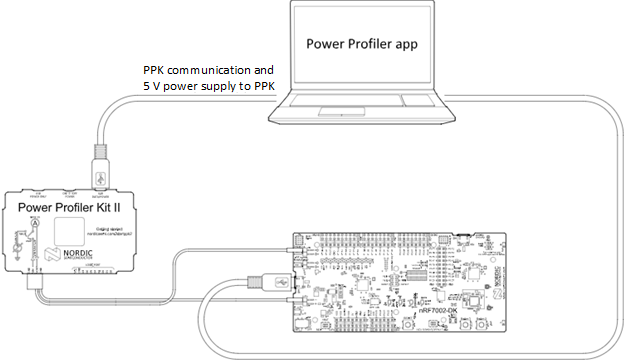
Typical configuration for measuring power on the nRF7002 DK
Configure PPK2 as a source meter with 3.6 volts.
The following image shows the Power Profiler Kit II example output for DTIM wakeup:
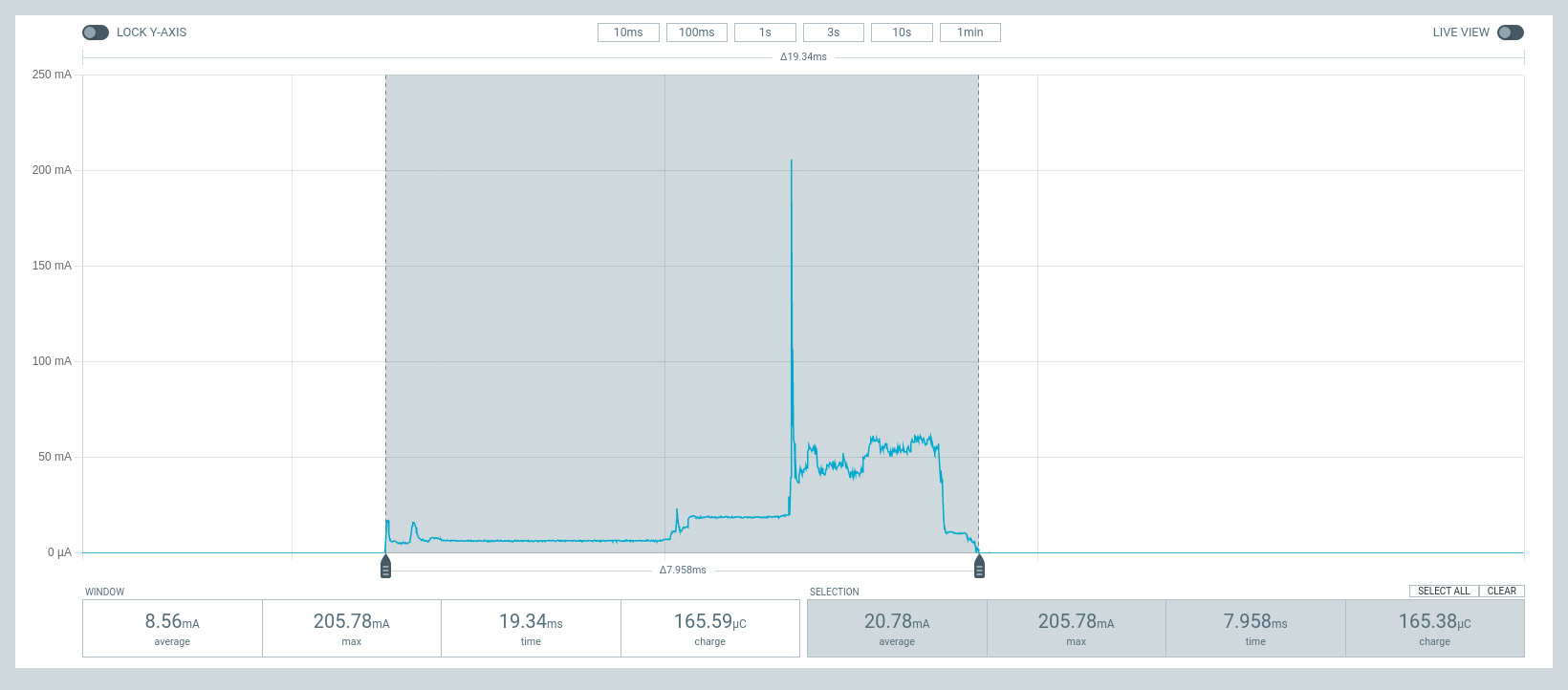
PPK2 output for DTIM wakeup
To reproduce the plots for DTIM period of 3, complete the following steps using the Wi-Fi: Shell sample:
Configure an AP with DTIM value of 3.
Connect to the AP using the following Wi-Fi® shell commands:
wifi scan
wifi connect -s <SSID> -k <key_management> -p <passphrase>
Check the connection status using the following Wi-Fi shell command:
wifi status
The following image shows the PPK2 output for DTIM period of 3:
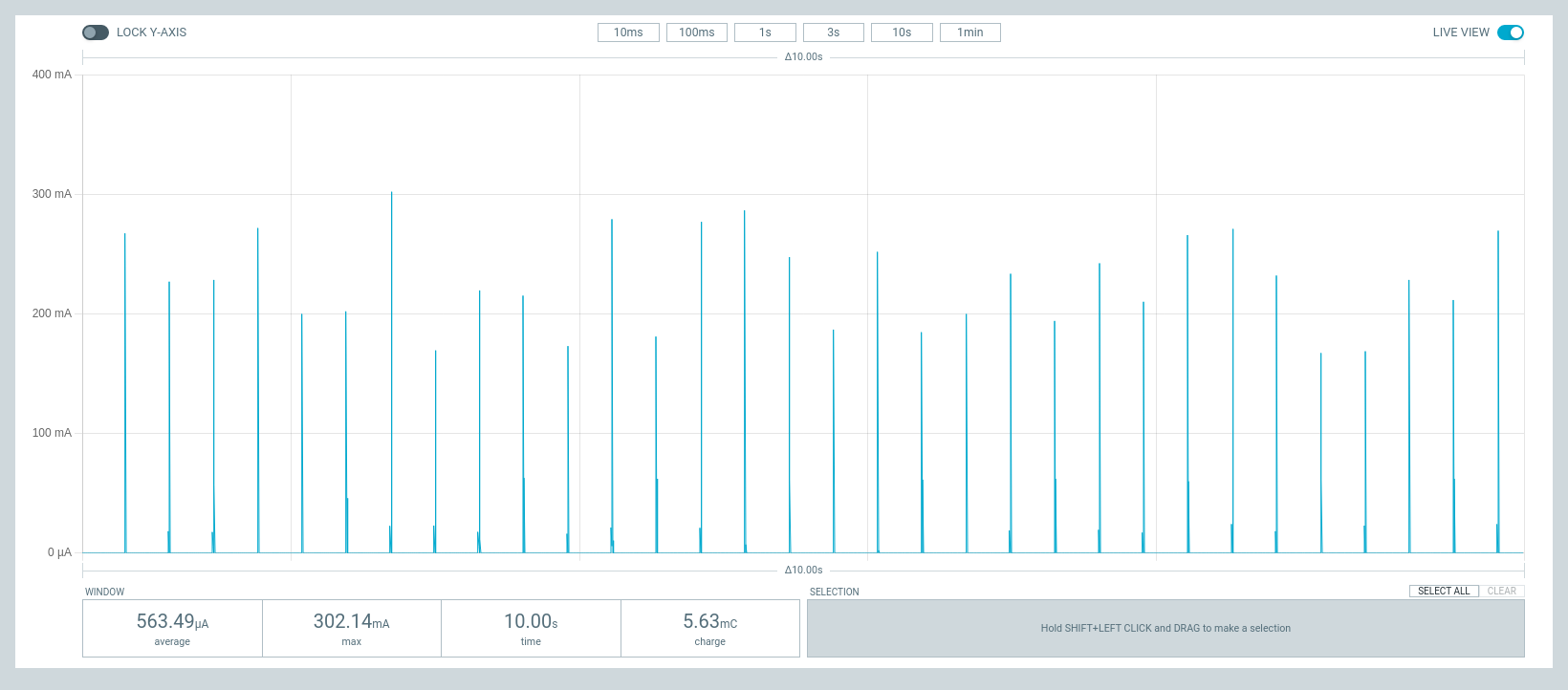
PPK2 output for DTIM period of 3
To reproduce the plots for TWT interval of one minute, complete the following steps using the Wi-Fi: Shell sample:
Connect to a TWT supported Wi-Fi 6 AP using the following Wi-Fi shell commands:
wifi scan
wifi connect -s <SSID> -k <key_management> -p <passphrase>
Check the connection status using the following Wi-Fi shell command:
wifi statusStart a TWT session using the following Wi-Fi shell command:
wifi twt setup 0 0 1 1 0 1 1 1 8 60000
The following image shows the PPK2 output for TWT interval of one minute:
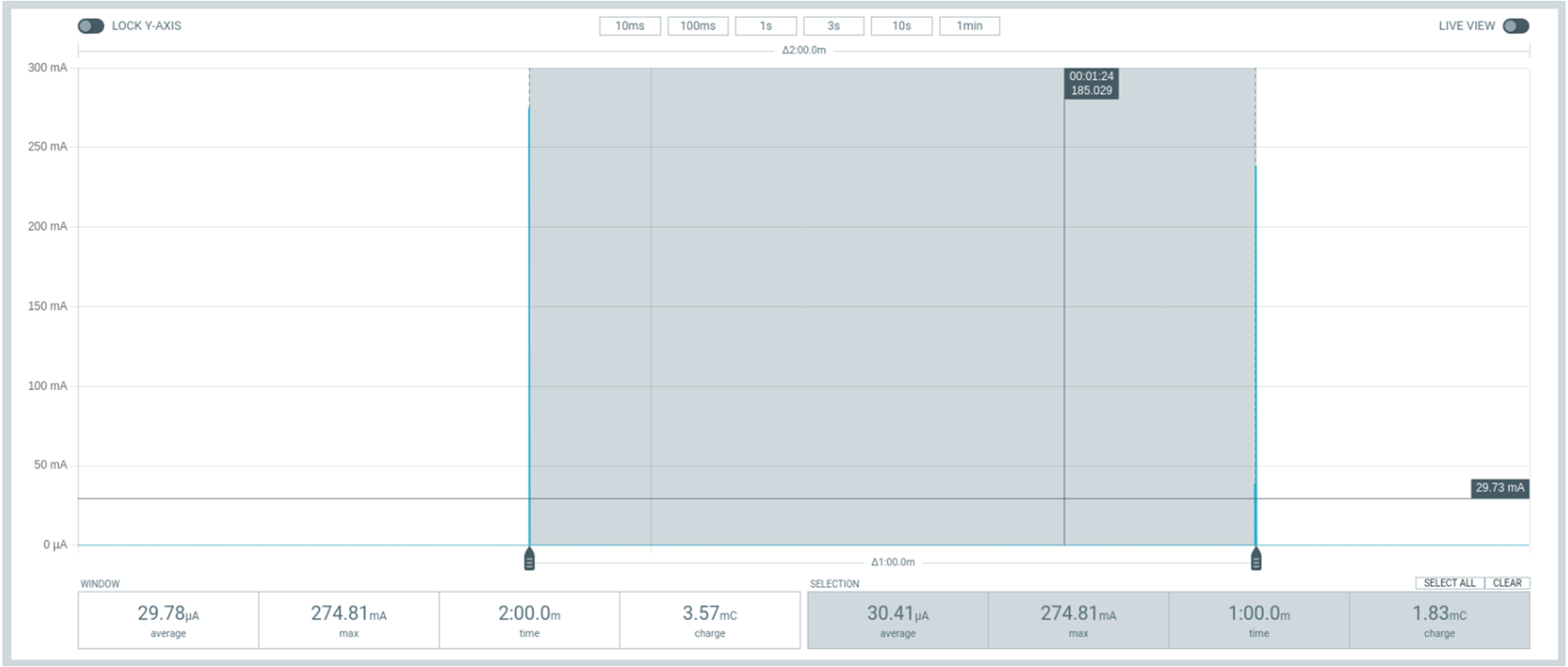
PPK2 output for TWT